Creating and Managing Categories
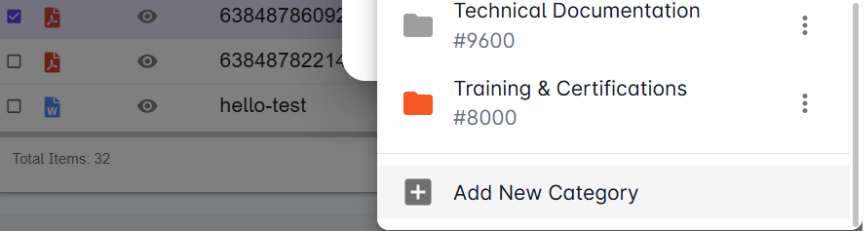
Please note that creating new categories and editing existing ones can only be done through the Kenesto web application.
To assign a category:
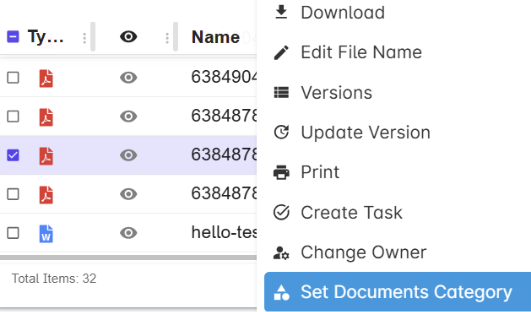
To assign an existing category to a file or folder in Kenesto, right click on the item in question and select "Set Category" from the Kenesto menu. Simply select the correct category from the dropdown menu and click "OK"
When creating a new folder, you'll be able to select a category for that folder. This will help you keep your documents organized from the start.
By assigning a folder to a particular category, any documents you add to that folder will be automatically tagged with that category.You can change the category at any time by right-clicking and selecting 'set category'
Drive: 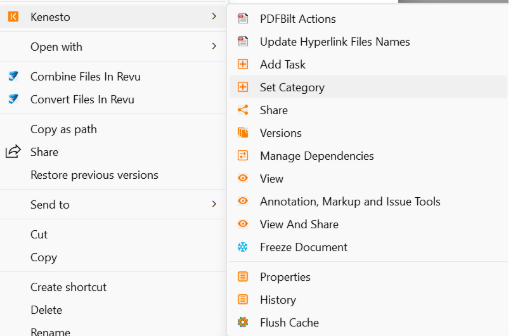
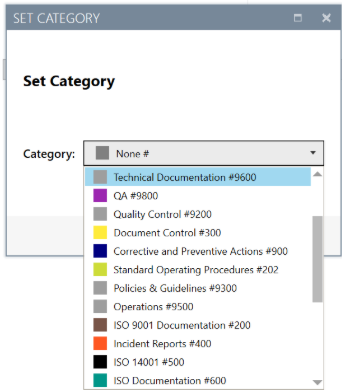
Web App: