
Creating and Managing Categories
Please note that creating new categories and editing existing ones can only be done through the Kenesto web application.
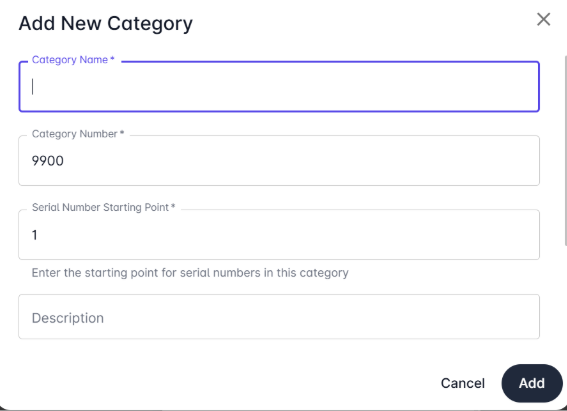
To create a new category:
Upload or identify an existing document.
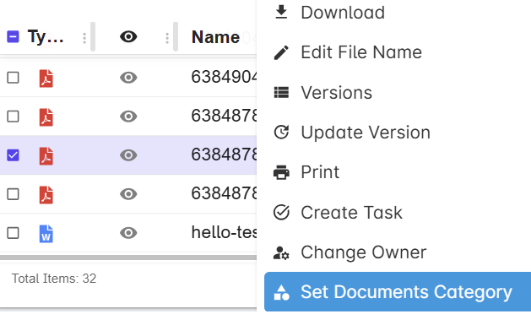
Right-click the document and select Set Category.
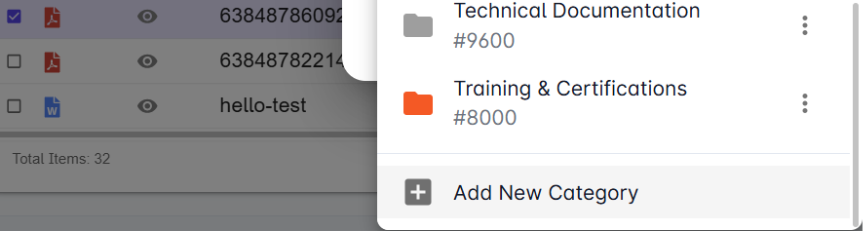
In the category window, click to add new category (e.g., Safety Procedures, QA, Technical Docs).
Web App:
Once created, these new categories can be used in Kenesto web or drive.
